Friday, 11 November 2016

Trace your Lost or Stolen Mobile 📱 ☎ phone easily.


Now, let us look at some of the possible options to track a phone in case if it is lost or stolen.


 For Android Phones:


 If you need to track a lost android phone, you can follow the steps mentioned below:


Download   ANDROID DEVICE MANAGER  
from given link or  Google play store and install it on another android device. This app lets you track your stolen android phone and also lets to remotely lock or erase all the data on it.


From “Android Device Manager” log into your Google account using the same ID associated with your lost phone. After successful login this app will attempt to locate your device and show its last known location on the map.

In addition, you will also be able to perform several actions on your lost phone such as give a Ring, Lock the device or Erase
all the data stored on it.


   For Apple iPhones:


If you need to track a lost iPhone, you can follow the steps mentioned below:


Login to the   i COULD WEBSITE
using an Apple ID associated with your lost phone. Since location tracking is turned on by default on all iPhone devices, iCould lets you track it from your web browser or your iPad and shows its location on the map.


When your phone is found nearby to your location you have an option to Play Sound
 on it so that your iPhone will emit a sound, helping you track it down.


If this does not help, you can choose the option Lost Mode
which will remotely lock your phone down and display a phone number that can be reached at.


When none of the above options work, you can finally decide to go with the option Erase iPhone
which will completely wipe out all the data stored on it. This way you can prevent your private information from falling into the wrong hands.


For Windows Phones:


In order to track down a lost Windows phone, you can try the below mentioned steps:


Go to  WINDOWS PHONE WEBSITE  
and locate the option Find My Phone on the top-right corner of the page.


This will ask you to sign-in using your Windows account associated with your lost phone. If your phone gets traced you will see a map showing its exact location. You will also find options to Lock, Ring and Erase its data in  case if your phone is found to be completely Lost.  

I hope this post has helped you with the right information to track cell phones with simple steps involving minimal effort. Please share your thoughts and feedback in the comments section below .

Thursday, 10 November 2016

How To Run Android Apps On Windows/MAC PC – 2016


How To Run Android Apps On Windows/MAC PC -2016.


Android is the leading OS in today’s world. It is one of the most intuitive operating systems used in modern devices. It is not only used in mobiles and tablets but also used in many other modern devices like cars and television. The most important reason due to which Android is so famous is the flexibility that it can be used on so many devices. There are also a number of apps available on the Google Play Store. Apps like WhatsApp and Clash of Clans are so famous that people look for ways to install them on windows OS. So today, we have a perfect way to do that. Here we have two best methods to run android apps on windows. You can even install apps and use them just like on an Android smartphone or tablet. You can even enjoy a complete android interface on your desktop PC. Users can run Android apps on Windows OS to sideload and test apps as well. So, if you are looking for a perfect and easy way to run Android apps on PC running Windows OS, keep reading for best methods that you can use.


How To Run Android Apps On Windows PC.


Given below are two best methods to run Android apps on Windows OS.


Method 1. 


Use Remix OS app Player.


Remix OS is an excellent project that focuses on running Android on PC. After their successful attempt at releasing a complete android OS for PC, Remix OS have released their app player, that you can use to run Android apps on windows. It is a simple application that brings the best of android to you PC. You can enjoy your favourite games and apps directly on the Windows PC without much hassle.


Steps to install Remix app player on a windows PC are :

Step 1.
Download the Remix app player for windows from the link below.


Step 2.
Extract the package to a destination you want.


Step 3.
Install Intel HAXM from the link given below.


Step 4.
Open the extracted folder and run Remix OS.


Step 5.
Complete the setup and install your favorite Apps as well.


Method 2:- 


Use BlueStacks Android Emulator. (Windows & MAC)


BlueStacks has been the best and most preferred Android emulator since the beginning of android development. People have used it from a long time to run Android apps on PC. It is fairly easy to use and runs smoothly on most hardware.


Note:-

High Graphics Memory or Graphic card is required for bluestacks installation.


Step 1.
Download the BlueStacks emulator from the link below.


Step 2.
Install the downloaded file on your windows PC.


Step 3.
Complete the installation and set up the emulator.


Step 4.
Install your favourite apps either from Google play store, app recommendations or direct apk


For Chromebook Users


There is no need for separate 3rd party software installation. Simply update chromebook software to latest version. They is an inbuilt option to use android apps.


Now you can enjoy running Android on your windows PC.....


In conclusion, these are the two best methods for running Android apps on windows and MAC OS. If you need any help or have any queries, write to us in comments below.

Tuesday, 11 October 2016

How To Hack Android Phone Using Bluetooth (100% working)

How To Hack Android Phone Using Bluetooth 20161011-174934.jpg

Hello guys, today i am share with you how to hack android phone using Bluetooth.There are many types of Bluetooth Softwares to hack android phones.These software are very efficient and can hack any Bluetooth enabled device without any prior knowledge of user.

BLUETOOTH

20161011-175028.jpg

Hack Android Phone Using Bluetooth: Bluetooth is a wireless technology which lets us connect to other android devices and share information or different files such as music files, photos, videos, etc. With increase in its popularity now-days, we can see every android phone is Bluetooth enabled. Other than just sharing information or files between android devices.

Mostly people are unaware about Bluetooth with a term of hacking and due to this people loses their imp data , credit card numbers and lots of other thing which are value able.Now it become very easy to hack someone android phone using Bluetooth. We can do many tricks with this Bluetooth; the major one is hacking others android phones with Bluetooth hacking Softwares.

Though you may find all these 8 mobile Bluetooth hacking softwares have common features such as all softwares let us access other’s phone contacts, messages, profiles, etc. but still they are different from each other in one or some other unique ways. So, let’s try using these bluetooth android phone hacking softwares but only for fun.

1. Super Bluetooth Hack 1.08 20161011-175055.jpg

Hacking somebody’s android phone via this Super Bluetooth Hack 1.08 software will let you take full control and command of that android phone. In other words, you can gain full access to his inbox messages, phone book contacts, call summary, details about SIM and network. Wait! There’s more to it. You can lock or unlock the phone or switch on/off, change accessibility, network or security settings, modify ringing tone and volume, make some changes in language, play ringtones even when the andorid phone is on silent mode, make a call or end a call, etc. Whew! Lot of things you can undertake with this multi-purpose software This software is used for controlling and reading information from remote phone via bluetooth or infra. Phone list and SMS can be stored in HTML format. It will also display information about battery, network and sim card.

2. Blue Scanner 20161011-175116.jpg

As the word scan implies, this Bluetooth Scanner software lets us explore and scan active Bluetooth enabled mobile devices or laptop or PDA with active Bluetooth connection. This software tries to collect maximum information for every discoverable device. It’s a kind of fun social game for hackers wherein points are added in their total score of finding the maximum number of Bluetooth enabled devices. They can view their total score, level, ranking and no. of devices found in the ‘Stats’ section of this software

3. Blue Sniff 20161011-175131.jpg

Blue Sniff is a GUI based software that runs on Linux.Blue Scanner searches out Bluetooth-enabled devices and try to extract as much information as possible for each newly discovered device in other words you can use this one to spy on others who are close to you.

4. Blue Bugger 20161011-175145.jpg

This simply exploits the Blue Bug (name of a set of Bluetooth security holes) vulnerability of the bluetooth-enabled devices. By exploiting these vulnerabilities you can access phone-book, calls lists and other information of that device.Bluetooth attacks or pranks through Bluetooth technology were first started with the software known as ‘Bluejacking’ followed by Bluesnarfing and then Bluebugging. Bluebugger software finds the limitations in phone and then attacks it to gain complete access to the device. Once the android phone is hacked, user can have full access to the phone directory, call details and other data stored on the device. This software was particularly in news for hacking Nokia 6310i phone as the phone model had some flaws related to Bluetooth connectivity.

5. BT Browser 20161011-175207.jpg

BT Browser is a J2ME application which can browse and explore the technical specification of surrounding bluetooth-enabled devices. You can browse android device information and all supported profiles and services records of each android device.

6. BT Crawler 20161011-175241.jpg

BTCrawler software let users scan open and noticeable Bluetooth devices that are in range and execute queries related to service. It particularly scans for Windows Mobile devices. User can also execute service query for their device. This software displays paired devices, name of the device, class of device and even signal strength.

7.Blue Snarfing 20161011-175303.jpg

Blue Snarfing software is used for hacking android phone via bluetooth connection and copying all information including Planner/Calendar, Phone book and SIM contacts, E-mail and messages ,etc.of the hacked device. The device with open and discoverable Bluetooth connection are more prone to be attacked by this software and a "corruption code" to the hacked mobile leading to complete shut down of android phone and making it unusable or unresponsive to the owner

8. Magic Blue Hack 20161011-175329.jpg

Magic Blue Hack allow user to gain control over victim’s mobile but this software cannot be considered as a hacking software as before hacking it asks permission from the victim to accept the incoming connection. Hacking is usually associated with sneaking into other’s device without their consent but this software seeks permission from the owner to accept request for connection. If the request is accepted, hacker can gain control over the phone and can do all the things related to making calls, sending messages, emails, browsing , contacts etc.

So above is all about android hacking or you can say Android Phone Hacking using Bluetooth 2017. If you face any problem at any point do comment below. we'll definitely try to help you

Featured post

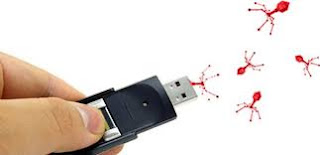
How to copy (steal) files from a computer to a pendrive (Latest VIRUS)

Hello guys,have u ever want something from your friend pc,that he is not giving you like games,movies,important files etc. here icome...